
Monday, June 1, 2015


Friday, May 29, 2015

Thursday, May 21, 2015


Wednesday, May 20, 2015
Week 11 - TASK 1 Reflection Writing
One goal that was difficult to accomplish was trying to find myself as a person. I was all popular and stuff back in elementry and middle school, but it didnt feel right for some reason. I wasnt myself at all, It felt like I was anothe rperson then, but once I realized who I was, I was ok. It was highly difficult bsck in those days amd it was on the inside that hurt, but all smiles and laughs on the outside. So that was one goal for me to accomplish .
Monday, May 18, 2015
Week 7a Illustrator Extended Practice (TASK 3) - Embed Video
https://helpx.adobe.com/illustrator/how-to/new-pen-tool.html


.png)
WEEK 6 PRACTICAL DESIGN PROJECTS
https://helpx.adobe.com/illustrator/how-to/create-new-document.html
This tutorial briefly explained how to open a new document. I have to go the top left of the screen where I will find the "file" indicator. Once I went there, under that, the first subtitle will say, "new...". you click that, something will pop up and you click ok. And thats how you create a new document.

This tutorial briefly explained how to open a new document. I have to go the top left of the screen where I will find the "file" indicator. Once I went there, under that, the first subtitle will say, "new...". you click that, something will pop up and you click ok. And thats how you create a new document.

Monday, May 4, 2015
Infrographics
- Infrographic- a visual image such as a chart or diagram used to represent information or data.They can improve cognition by utilizing graphics to enhance the human visual system’s ability to see patterns and trends


Monday, April 27, 2015
vocabulary
The small decorative flourishes at the ends of the strokes in the left character are called serif. The right character does not have these strokes and is said to be asans-serif font. (Sans is the French word for without.)
Margin-The part of a page that is above, below, or to the side of the printed part;the place where something (such as a piece of land) stops : the edge of something
Guide-Rulers help you accurately place and measure objects in the illustration window or in an artboard. The point where 0 appears on each ruler is called the ruler origin.
Bleed-the action or process of a dye, ink, or color seeping into an adjacent color or area.
CMYK-color model (process color, four color) is a subtractive color model, used in color printing, and is also used to describe the printing process itself.
Image resolution -the detail an image holds.
proof copy -copy of (a book, story, etc) made from trial impressions made from composed type, or print-outs (from a laser printer, etc) for the correction of errors.
artboard-works just like a piece of paper would on a physical desk;a unique and powerful feature of Illustrator.
registered trademark symbol- designated by is a symbol that provides notice that the preceding word or symbol is a trademark or service mark that has been registered with a national trademark office


Monday, April 13, 2015


Thursday, March 19, 2015

Thursday, March 12, 2015
Monochromatic-are all the colors (tints, tones, and shades) of a single hue.




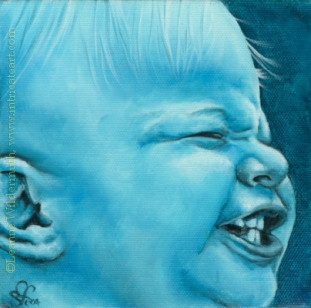

Negative space- is the space around and between the subject(s) of an image

WEEK THREE: task 1
Creating a new canvas (document)
- Interface navigation, drawing tools (Illustrator's shapes & using the Pen Tool)
- Setting the Fill Color, and the Stroke Color
- Saving file formats (saving for Adobe Illustrator editing vs. Saving an image for the web)
----You can see the illustrator's shapes by M or L to get started and go to the side where the shapes are and choose a diffeent shape. You can use the pen tool by pressing P on ADOBE ILLUSTRATOR.
-----You can set the fill color by going to the left bottom of the adobe illustrator and look for two boxes and click the the one thats filled in and pressing X to activate it. And this is the same as the stroke color, pressingthe empty box next to it, and pressing X to activate.
-----You can save the work by going to the file at the top of the page and pressing "save as " and putting your name. You can open adobe illustrator by going to file agin and pressing new and something going to pop up and you click ok.
- Interface navigation, drawing tools (Illustrator's shapes & using the Pen Tool)
- Setting the Fill Color, and the Stroke Color
- Saving file formats (saving for Adobe Illustrator editing vs. Saving an image for the web)
----You can see the illustrator's shapes by M or L to get started and go to the side where the shapes are and choose a diffeent shape. You can use the pen tool by pressing P on ADOBE ILLUSTRATOR.
-----You can set the fill color by going to the left bottom of the adobe illustrator and look for two boxes and click the the one thats filled in and pressing X to activate it. And this is the same as the stroke color, pressingthe empty box next to it, and pressing X to activate.
-----You can save the work by going to the file at the top of the page and pressing "save as " and putting your name. You can open adobe illustrator by going to file agin and pressing new and something going to pop up and you click ok.


WEEK ONE: task two and three

These symbols all represent the different sports,activities, warnings, signs, and also everyday things that we all can tell by if we looked at the symbolism and/or image. like the telephone indicator, we all know that there is a telephone in the area, and lastly like the airplane, it obviously stands for airplane mode, or there is airplanes this way.

50 stars on the flag represent the 50 states of the United States of America and the 13 stripes represent the thirteen British colonies that declared independence from the Kingdom of Great Britain and became the first states in the Union.White stripes stand for liberty and equality for all.The blue is the blue of heaven, loyalty, and faith.And the red, represents any evil.
Tuesday, March 10, 2015


Tuesday, February 17, 2015
contrast assignment
Contrast-the difference in luminance or color that makes an object (or its representation in an image or display) distinguishable.
~size contrast- difference in the
 http://girottifamily.typepad.com/.a/6a00d83451c80d69e20120a527272f970c-500wi
~shape contrast- difference in the texure and/or color
 http://www.neilblevins.com/cg_education/composition_contrasts/figure21.jpg
 http://s.hswstatic.com/gif/photo-contrast2.jpg
Emphasis-special importance, value, or prominence given to something.
 https://encrypted-tbn2.gstatic.com/images?q=tbn:ANd9GcQQDbHVK2dpapnBEGYvYsAh26zY9SlxkVygwhXTwZUl3Q-Ar_3lDQ
 http://jaireaton.com/Digtial_Photography_svhs/Photography/Pages/Formal_%26_Informal_Balance_files/shapeimage_1.png
 https://nikkismith04.files.wordpress.com/2012/05/formal-balance-edited.jpg
~size contrast- difference in the
http://girottifamily.typepad.com/.a/6a00d83451c80d69e20120a527272f970c-500wi~shape contrast- difference in the texure and/or color
 http://www.neilblevins.com/cg_education/composition_contrasts/figure21.jpg
~texture/color contrast- difference in the shapes
 http://s.hswstatic.com/gif/photo-contrast2.jpg
Emphasis-special importance, value, or prominence given to something.
Balance- an even distribution of weight enabling someone or something to remain upright and steady.
~informal balance-
objects have nearly the same "visual weight" on either side of the vertical center of the photograph composition, but are different in size, shape, texture, or value.
 http://jaireaton.com/Digtial_Photography_svhs/Photography/Pages/Formal_%26_Informal_Balance_files/shapeimage_1.png
~formal balance- Each side of the vertical center of a photograph has equal weight and have similar or exactly the same shape, texture, and value
https://nikkismith04.files.wordpress.com/2012/05/formal-balance-edited.jpg
Subscribe to:
Posts (Atom)